A grid that suits the pencil
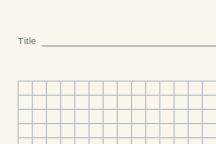
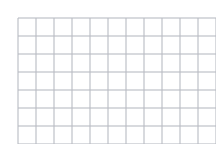
Graph paper is one of the most useful pages to keep in a note-taking app. The faint grid keeps columns of figures straight, helps you draw a straight axis without a ruler and gives sketches a sense of scale. This page is drawn to the shape of the iPad screen, so the grid fills the display edge to edge instead of floating in a letterboxed sheet.
Choosing the spacing
Five millimetre squares are the usual choice for handwriting, because a line of writing fits neatly into two squares. One centimetre squares leave plenty of space for diagrams, floor plans and chunky doodles, and quarter-inch squares are the familiar American size. Whichever you pick, the generator keeps the grid centred and drops any partial square at the edge.
Bold lines and axes
Two extra options turn a plain grid into a working page for maths. Set a bold line every four, five or ten squares to make blocks that are easy to count, or switch on axes to get a coordinate plane with a heavier x and y axis. Sage and mist blue backgrounds look good for geometry, and the dark background keeps the lines gentle on the eyes at night.
Template or notebook
For a template, download one page. In GoodNotes, open the menu in the Library, choose Manage Notebook Templates and import the file, then pick it whenever you add a page. If you would rather have a whole graph paper notebook, choose a higher page count and open the PDF as a new notebook. Names of menu items vary between versions of the app, so check the app’s own help if yours looks different.
Other pages for the iPad
The GoodNotes template hub has the full set, and the dot grid page offers the same layout with dots in place of lines. If you also want a sheet to print, the main printable graph paper page makes true-size PDFs for Letter and A4.