Guidance that stays out of the way
A dot grid gives you the alignment of graph paper with far less visual noise. Each dot marks the corner of an invisible square, so you can line up headings, draw boxes and rule your own columns, and the page still looks almost blank once you have written on it. That is why dotted pages are the first choice for bullet journals, sketchnotes and hand lettering.
What you can change
The dot spacing is yours to choose: 5 mm for compact layouts, one centimetre for large headings and sketches, or quarter inch if you plan in inches. The dot size can be small, medium or large, so you can make the dots disappear behind pen strokes or keep them clear enough to follow. Mist blue is the default background, and the other colours are a tap away, including a dark page whose dots are a soft grey.
A header for journal pages
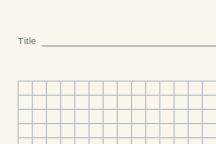
Tick the header option and a title and date line appears across the top. The dots begin underneath, which keeps weekly spreads and study pages looking tidy. Cornell notes, daily logs and reading notes all work well with a little room at the top for a name and date.
Adding it to your notes app
Download one page for use as a template. GoodNotes keeps imported templates in the Library menu under Manage Notebook Templates, and Notability can create a template from a single imported page. Both look at the first page of the PDF only, so choose a larger page count only when you want a ready-made dotted notebook rather than a template.
More iPad pages
The set on the GoodNotes template hub includes graph paper and lined paper in the same sizes and colours. If you need dots to print, the regular dot grid paper page makes true-size PDFs for Letter and A4.